


 Lifetime - Access
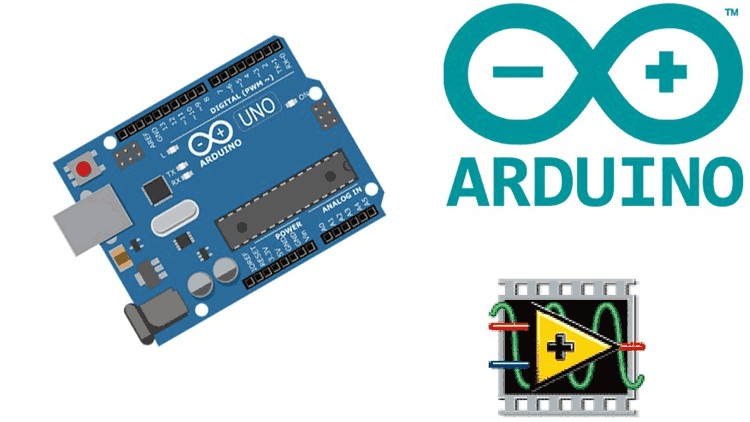

Arduino Meets LabVIEW – Virtualize Your Arduino on PC Screen
Master Arduino & LabVIEW integration! Learn serial communication, LabVIEW UI design, and Arduino programming to control hardware from your PC.

Created By Ashraf Said AlMadhoun


Get this course with 2000+ of our top related courses with personal plan.
Try Personal Plan for freeWhat You Will Learn
- Master Arduino and LabVIEW integration to build interactive projects with real-time control.
- Design Arduino circuits for interfacing LabVIEW with Arduino hardware.
- Program Arduino using C language for smooth LabVIEW control.
- Develop LabVIEW user interfaces with virtual buttons, switches, and displays.
- Learn serial communication for data exchange between Arduino and LabVIEW via USB.
- Connect LabVIEW with Arduino to establish seamless software and hardware communication.
- Control real-world hardware like motors, LEDs, temperature sensors, and more from your PC.
Course Requirements
- Basic knowledge of digital electronics is recommended but not required.
- A laptop or PC with internet access.
- An Arduino board such as Uno, Mega, or compatible.
- LabVIEW software, either trial or full version.
Course Description
Virtualize your Arduino on your PC with LabVIEW! This course teaches you how to integrate Arduino with LabVIEW and use graphical interfaces to control real-world hardware.
Why Take This Course?
- Build real-world IoT, robotics, and automation projects.
- Hands-on learning developing Arduino circuits and LabVIEW interfaces step-by-step.
- Learn industry-relevant skills like serial communication, hardware control, and UI design.
- Create custom Arduino-LabVIEW applications through project-based learning.
- Easy to follow for beginners with no prior experience needed.
Course Highlights
- Introduction to how Arduino and LabVIEW work together.
- Arduino programming in C for effective LabVIEW interfacing.
- LabVIEW graphical programming to build user-friendly control interfaces.
- Basics of USB serial communication between LabVIEW and Arduino.
- Interactive control systems using LabVIEW to operate LEDs, motors, and sensors.
- Hands-on projects building automation systems and smart applications.
Who Should Take This Course?
- Engineering students in electronics, electrical, or computer science.
- IoT and automation enthusiasts wanting to visualize and control real devices.
- Hobbyists and makers interested in Arduino and LabVIEW projects.
- Anyone looking to virtualize Arduino on PC for real-time monitoring and control.
About the Instructor
The Educational Engineering Team has over thirteen years of experience teaching microcontrollers, IoT, and LabVIEW development. With more than 250,000 students worldwide, they provide expert-led courses designed for real-world applications.
Why Learn From Us?
- Over 250,000 students worldwide.
- More than thirteen years of teaching experience.
- Hands-on, practical learning approach.
Enroll Now and Master Arduino-LabVIEW Integration
Join thousands of students upgrading their Arduino and LabVIEW skills. Sign up today and start building interactive projects!
Course content

 1. Introduction
2. Who We Are?
3. What you will learn In this Course
4. What is Arduino
5. Why Interfacing of Arduino is Necessary with LabVIEW
1. Quick LabVIEW Intro
1. Creating the Block Diagram for LM35 Temperature
2. Creating the User Interface GUI using Front Panel
3. Finishing up in LabVIEW
1. Writing Arduino Code
1. Practical Assembly
1. How to install Proteus Professional
2. Download and Install Arduino Software
3. How to Download LabVIEW
4. How to download and Install VISA Library for LabVIEW Arduino
5. How to download and Install LINX Library
1. LabVIEW Step by Step Introduction
2. What is LabVIEW
3. Compare LabVIEW with traditional Tools
4. LabVIEW Fundamentals Flow of data
5. LabVIEW Environment
6. LabVIEW Environment - Continue
7. Common Data Types
8. LabVIEW Key Features
9. Run LabVIEW
10. Express VIs VIs and Functions
11. Express VIs VIs and Functions
12. First Example Creating VI
13. Help Options
14. Exercise 1 Convert C to F
15. Debugging Techniques
16. Sub VI
17. For Loop and While Loop
18. Charts
19. Arrays
1. Bonus Lecture
1. Introduction
2. Who We Are?
3. What you will learn In this Course
4. What is Arduino
5. Why Interfacing of Arduino is Necessary with LabVIEW
1. Quick LabVIEW Intro
1. Creating the Block Diagram for LM35 Temperature
2. Creating the User Interface GUI using Front Panel
3. Finishing up in LabVIEW
1. Writing Arduino Code
1. Practical Assembly
1. How to install Proteus Professional
2. Download and Install Arduino Software
3. How to Download LabVIEW
4. How to download and Install VISA Library for LabVIEW Arduino
5. How to download and Install LINX Library
1. LabVIEW Step by Step Introduction
2. What is LabVIEW
3. Compare LabVIEW with traditional Tools
4. LabVIEW Fundamentals Flow of data
5. LabVIEW Environment
6. LabVIEW Environment - Continue
7. Common Data Types
8. LabVIEW Key Features
9. Run LabVIEW
10. Express VIs VIs and Functions
11. Express VIs VIs and Functions
12. First Example Creating VI
13. Help Options
14. Exercise 1 Convert C to F
15. Debugging Techniques
16. Sub VI
17. For Loop and While Loop
18. Charts
19. Arrays
1. Bonus Lecture
Similar courses
Explore More

Instructor



Ashraf Said AlMadhoun is a passionate educator and entrepreneur dedicated to inspiring individuals through online learning. Since 2007, Ashraf has been teaching thousands of students via his online education platform, Educational Engineering School, helping them acquire new skills and unlock their potential to become better versions of themselves.
What Do You Want to Learn?
Ashraf offers a variety of courses tailored to meet diverse needs, including:
Learning how to monetize skills as an Embedded System Developer.
Building a 6-figure business from scratch.
Gaining expertise in coding, circuit design, and soldering electronic components.
Creating impactful and innovative projects.
Starting an embedded systems career to develop great projects, simulate designs, program, and create PCB boards.
Launching a freelance career in embedded systems.
With a 30-day money-back guarantee and ongoing course updates, Ashraf ensures his content remains relevant and impactful.
About Ashraf
Ashraf holds a Bachelor’s degree in Mechatronics Engineering from Azhar University, where he honed his skills in embedded systems using Arduino, PIC Microcontrollers, and related technologies. After graduating, he began his teaching career as a Teacher Assistant at his alma mater and later at a local college. These experiences ignited his passion for sharing knowledge and inspired him to establish his online education brand, Educational Engineering School, which has empowered over 450,000 students globally.
Interests and Passions
When he’s not teaching, Ashraf enjoys playing football, biking, traveling, and spending quality time with friends and family. A dedicated football enthusiast, he also loves exploring new cultures and cuisines.
Mission
Ashraf is driven by the desire to help others achieve their dreams. He aims to empower students to become skilled Embedded System creators, monetize their expertise, and build fulfilling careers.
Join one of Ashraf’s courses today and start transforming your skills into opportunities!
More Courses by Ashraf Said AlMadhoun



Recieve the best deals..






