


 Lifetime - Access
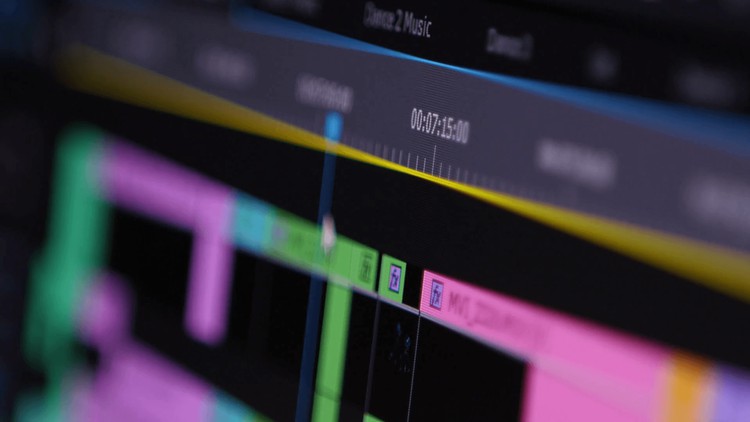

How to Edit YouTube Videos in Adobe Premiere.
Learn video editing for youtube & social media with this step by step course of Adobe Premiere Pro.

Created By Gabriel Felix


Get this course with 2000+ of our top related courses with personal plan.
Try Personal Plan for freeWhat You'll Learn
- Master the Adobe Premiere Pro Interface and learn its basics.
- Learn how to Import and Organize Footage efficiently.
- Develop Editing Techniques and the art of Storytelling.
- Understand how to add Transitions, Text, and Graphics to enhance videos.
- Get hands-on experience with Audio Editing and sound design.
- Learn how to apply Video Effects and Color Correction.
- Optimize your videos for YouTube export and better visibility.
Requirements
- Adobe Premiere (Any version).
Course Description
I'm thrilled to introduce my latest course, "How to Edit YouTube Videos in Adobe Premiere." If you've ever aspired to become a content creator on YouTube or simply want to enhance your video editing skills for any purpose, this course is your gateway to unlocking the full potential of Adobe Premiere Pro. With the explosive growth of YouTube as a platform, knowing how to craft compelling videos is more crucial than ever, and this course is here to guide you on that journey.
In this comprehensive program, we'll start by immersing ourselves in the world of Adobe Premiere Pro. You'll become well-acquainted with the software's interface, tools, and essential functions, ensuring you can navigate it with ease. We'll then delve into the art of video editing, covering topics such as importing footage, cutting and trimming clips, and arranging your sequences to tell a compelling story.
As we progress, we'll explore more advanced editing techniques, such as adding transitions, text, and graphics to make your videos visually engaging. You'll learn how to work with audio, apply effects, and color correct your footage to achieve a polished and professional look. We'll also cover essential aspects of YouTube video optimization, like exporting in the right format and aspect ratio, so your content shines on the platform.
By the end of "How to Edit YouTube Videos in Adobe Premiere," you'll have a comprehensive understanding of video editing principles and the skills to create captivating content for your YouTube channel or any other platform. Join me in this exciting journey to becoming a proficient video editor and content creator!
Who This Course Is For:
- You are a complete beginner who never approached a video editing software.
- You are starting vlogging and you want to build a YouTube channel or create content for social media.
Course content

 00-Welcome
 1. Introduction - Important Things
2. Open Projects, sequences and cutting videos
3. How to write and edit text on Adobe Premiere
4. How to add audio and video transitions and effects
1. How to Change adoube premiere language
2. How to add effects
3. How to add markers and notes
1. How to change the speed of your video
2. How to adjust volume
3. How to save files and render videos
1. How to download free copywriting songs and soundtracks from youtube
2. Shortcuts about thumbnails
1. Youtube Dashboard
2. Keywords
3. Youtube copywriting
4.1. How to Create Social Media Content Very Fast
1. Introduction - Important Things
2. Open Projects, sequences and cutting videos
3. How to write and edit text on Adobe Premiere
4. How to add audio and video transitions and effects
1. How to Change adoube premiere language
2. How to add effects
3. How to add markers and notes
1. How to change the speed of your video
2. How to adjust volume
3. How to save files and render videos
1. How to download free copywriting songs and soundtracks from youtube
2. Shortcuts about thumbnails
1. Youtube Dashboard
2. Keywords
3. Youtube copywriting
4.1. How to Create Social Media Content Very Fast
 4.2. Complementary Material - Social Media
5. How to create social media content very fast with this amazing free tool
1. What's ''canva.com''
2. How to edit photos with canva.com
3. How to create social media content very fast with this amazing free tool
4.2. Complementary Material - Social Media
5. How to create social media content very fast with this amazing free tool
1. What's ''canva.com''
2. How to edit photos with canva.com
3. How to create social media content very fast with this amazing free tool
Instructor



Gabriel Felix is a passionate musician and educator from Brazil with over a decade of professional teaching experience, particularly in guitar. His musical journey began with earning a degree from Step Academia de Música in 2011, followed by advancing his craft at the prestigious California College of Music in 2013.
A Global Impact on Music Education
As the founder of "Meio Musical," an innovative online music school, Gabriel has shared his expertise with over 150,000 students worldwide, empowering aspiring musicians to reach their full potential.
YouTube Success
Gabriel also runs several thriving YouTube music channels, collectively drawing 500,000 views each month. His engaging content captivates a niche audience, solidifying his reputation as a leading voice in online music education.
A Musical Mentor Beyond Borders
With a blend of exceptional talent and relentless dedication, Gabriel Felix goes beyond traditional teaching. He inspires and nurtures future musicians, shaping their journeys not just in Brazil but globally.
Gabriel Felix isn’t just an instructor—he’s a mentor dedicated to helping students transform their musical aspirations into reality.
More Courses by Gabriel Felix

Recieve the best deals..






