


 Lifetime - Access
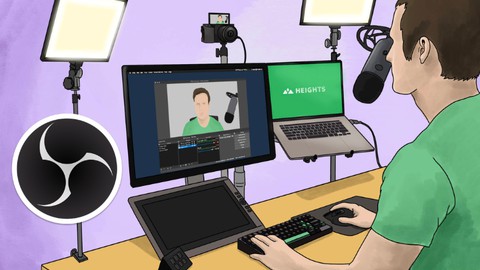

OBS Studio Tutorial: Screen Recording and Live Streaming
Learn how to use OBS Studio for screen recording and live streaming. This free tutorial covers all the essential techniques for beginners and content creators.

Created By Dr. Rasheed


Get this course with 2000+ of our top related courses with personal plan.
Try Personal Plan for freeWhat You'll Learn
- What is OBS and what are its features
- How to download and install OBS
- How to navigate the general interface of OBS
- How to adjust the recording and streaming settings for video and audio
- How to add scenes and sources for capturing your screen
- How to manage the audio mixer and transitions
- How to record your screen and camera with OBS and convert the files
- How to add filters, effects and color correction to your videos
- How to change the video background and use chroma keying
- How to live stream on YouTube, Facebook, or both platforms simultaneously
- How to complete a project using OBS
Requirements
- A computer with OBS installed (detailed installation instructions provided).
- Basic computer literacy.
- A desire to learn and a passion for creating engaging content.
Course Description
If you want to master video recording and livestreaming with OBS (Open Broadcaster Software), you've come to the right place! This course will teach you everything you need to know about OBS, from the basics to the advanced features. You'll learn how to use OBS for screen recording, video editing, and livestreaming on various platforms.
In this course, you'll get a comprehensive introduction to OBS and its main functions. You'll learn how to download and install OBS, which enhances your
Course content

 1. Course Introduction
2. What is OBS and Why Choose it
3. Downloading and Installing OBS
4. General Overview of the Interface
5. Settings and Configurations in OBS
6. Adding Sources and Scenes
7. Audio Mixer and Scene Transitions
8. Recording Camera and Screen with OBS
9. Adding Coluration and Filters
10. Removing Video and Image Background
11. Live Streaming on YouTube
12. Livestreaming on Facebook
13. Conclusion + Project
14. Going Live on Facebook and YouTube
1. Course Introduction
2. What is OBS and Why Choose it
3. Downloading and Installing OBS
4. General Overview of the Interface
5. Settings and Configurations in OBS
6. Adding Sources and Scenes
7. Audio Mixer and Scene Transitions
8. Recording Camera and Screen with OBS
9. Adding Coluration and Filters
10. Removing Video and Image Background
11. Live Streaming on YouTube
12. Livestreaming on Facebook
13. Conclusion + Project
14. Going Live on Facebook and YouTube
Instructor



Hi everyone,
I’m Dr. Rasheed, a lecturer, speaker, and YouTuber with a PhD in Civil Engineering from Universiti Teknologi PETRONAS, Malaysia. With a result-oriented mindset, exceptional problem-solving abilities, and strong communication skills, I am dedicated to sharing knowledge and empowering others.
What I Offer
I have a deep passion for education and engaging with audiences, aiming to inspire and help learners elevate their productivity in life and tech-related pursuits. Whether you're looking for actionable techniques, innovative tips, or practical tricks to boost your efficiency, you’ve come to the right place.
Let’s embark on this journey of learning and growth together!
More Courses by Dr. Rasheed

Recieve the best deals..






